
Bring your companion
Talked with a character somewhere else? Bring them to Keepcompany in one of two ways: a character card, the
.json or .png file that SillyTavern and similar apps export, or a description of who they are,
with your memory notes as .txt or .md files. You see what comes over, what changes and what stays
behind, and nothing is saved until you say so.
Keepcompany is in a small closed beta. It opens on 9 November, by personal invitation only, for adults 18 and over. There is no waitlist and no sign-up. The characters are AI.
With a character card
-
1. Choose the card
In Tools, open Bring your companion and choose A character card. One card at a time. From a
.pngcard we read only the text inside it; the picture is not sent to us.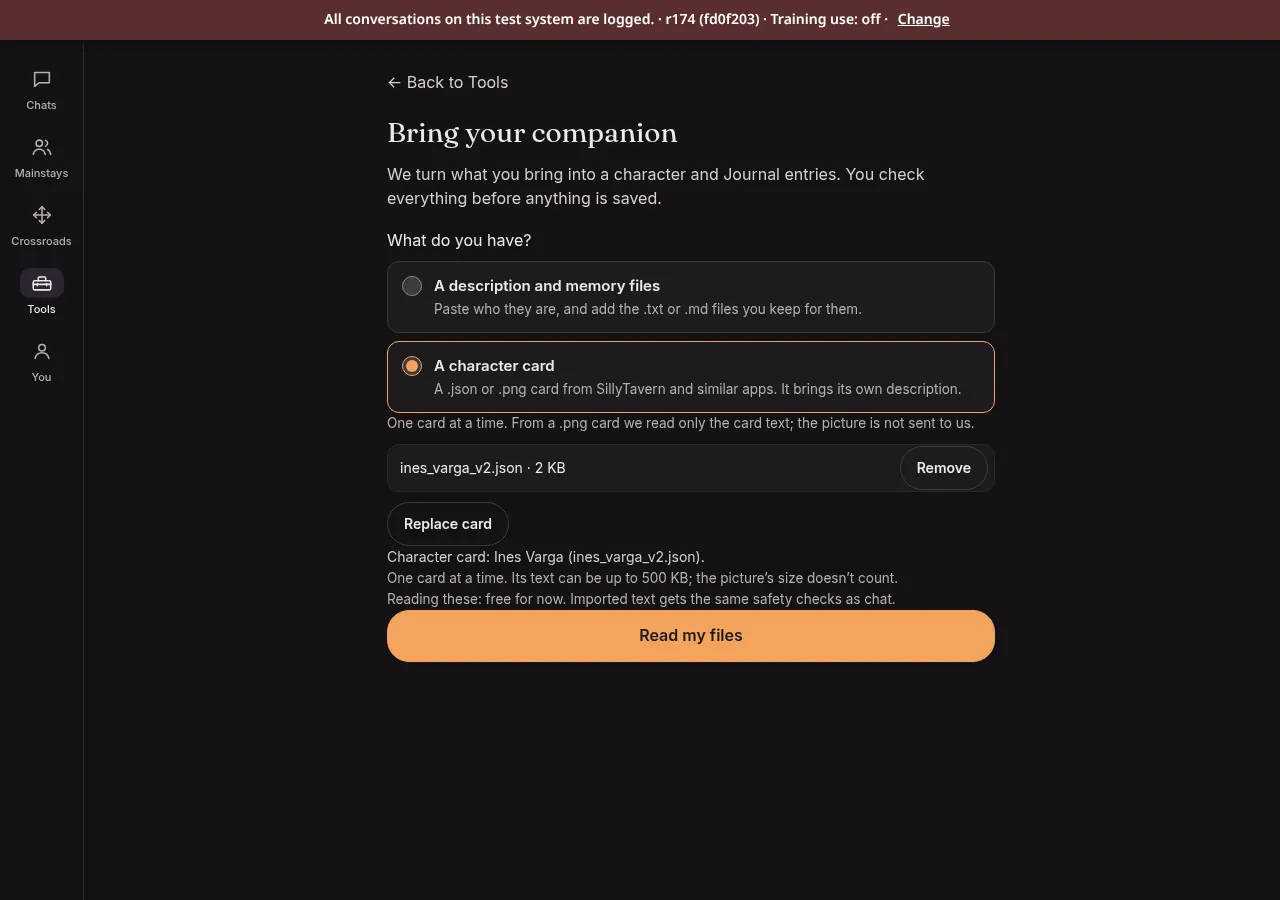
Ines Varga is a character we invented for this page. -
2. See what happened to each part
A short report lists the parts of the card: what was imported and where it went, and what was left out, with the reason.
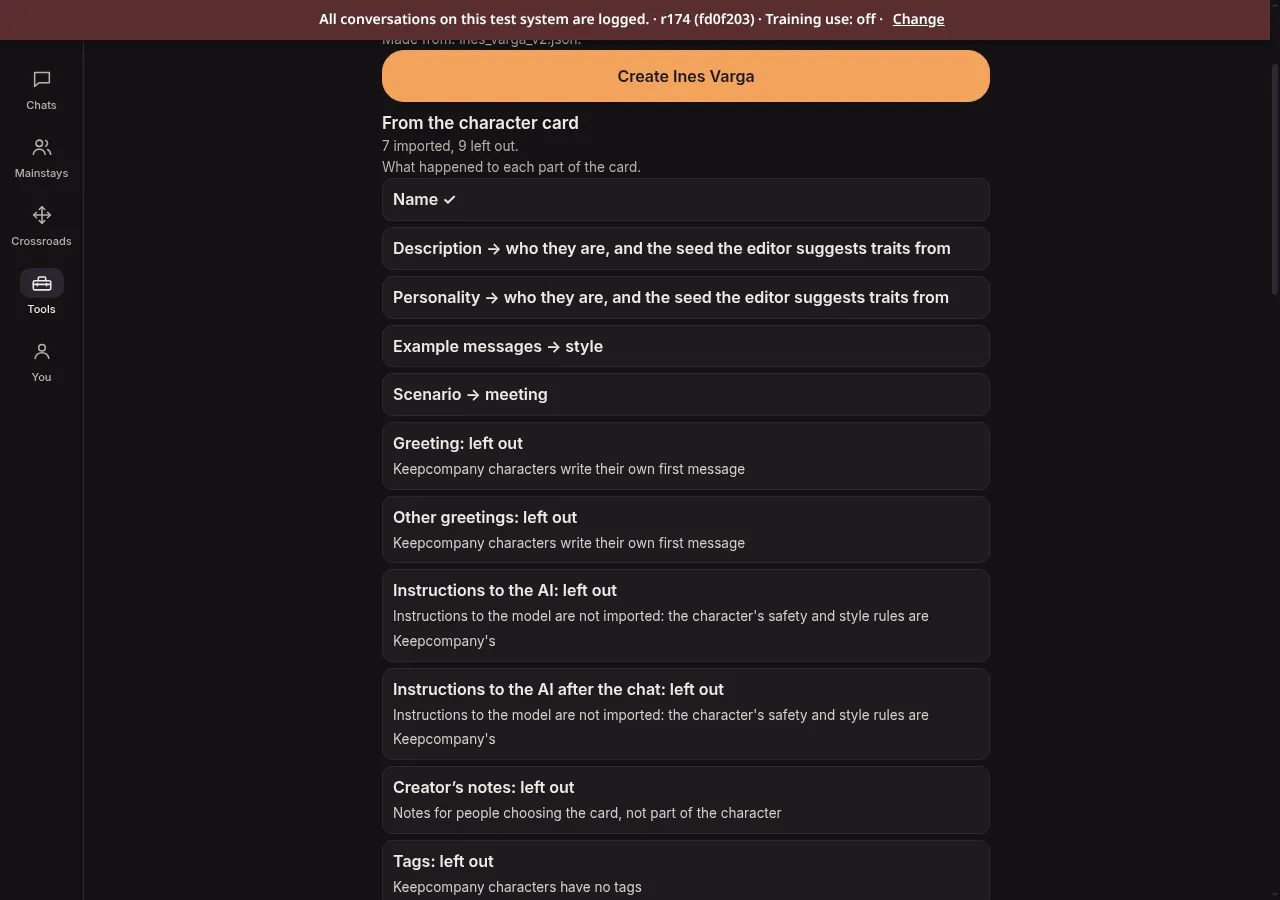
The report for Ines's card. -
3. Check everything before it's saved
One sheet shows the name, a one-line summary, their pronouns and species, who they are, how they write and the opening scene. Change any of them. Where the card says
{{user}}, it stays a placeholder that follows your own profile name.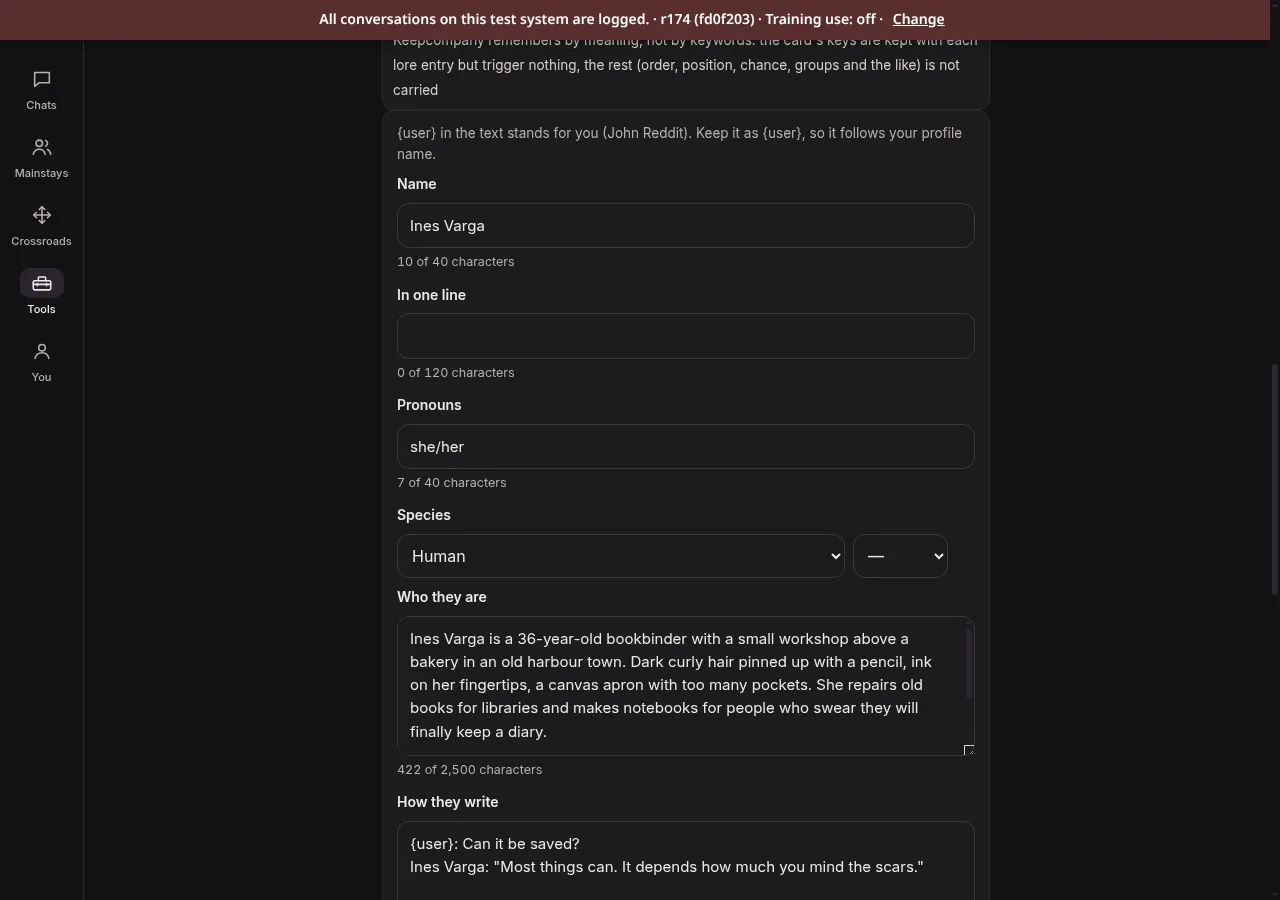
A card has no pronouns or species, so you set them here. They start as they/them and Human; here they were set to she/her. -
4. Set up their personality, then talk
Lore entries from the card go to the character's Codex. The editor offers personality settings suggested from your card, and then you start talking. Your character writes their own first message.
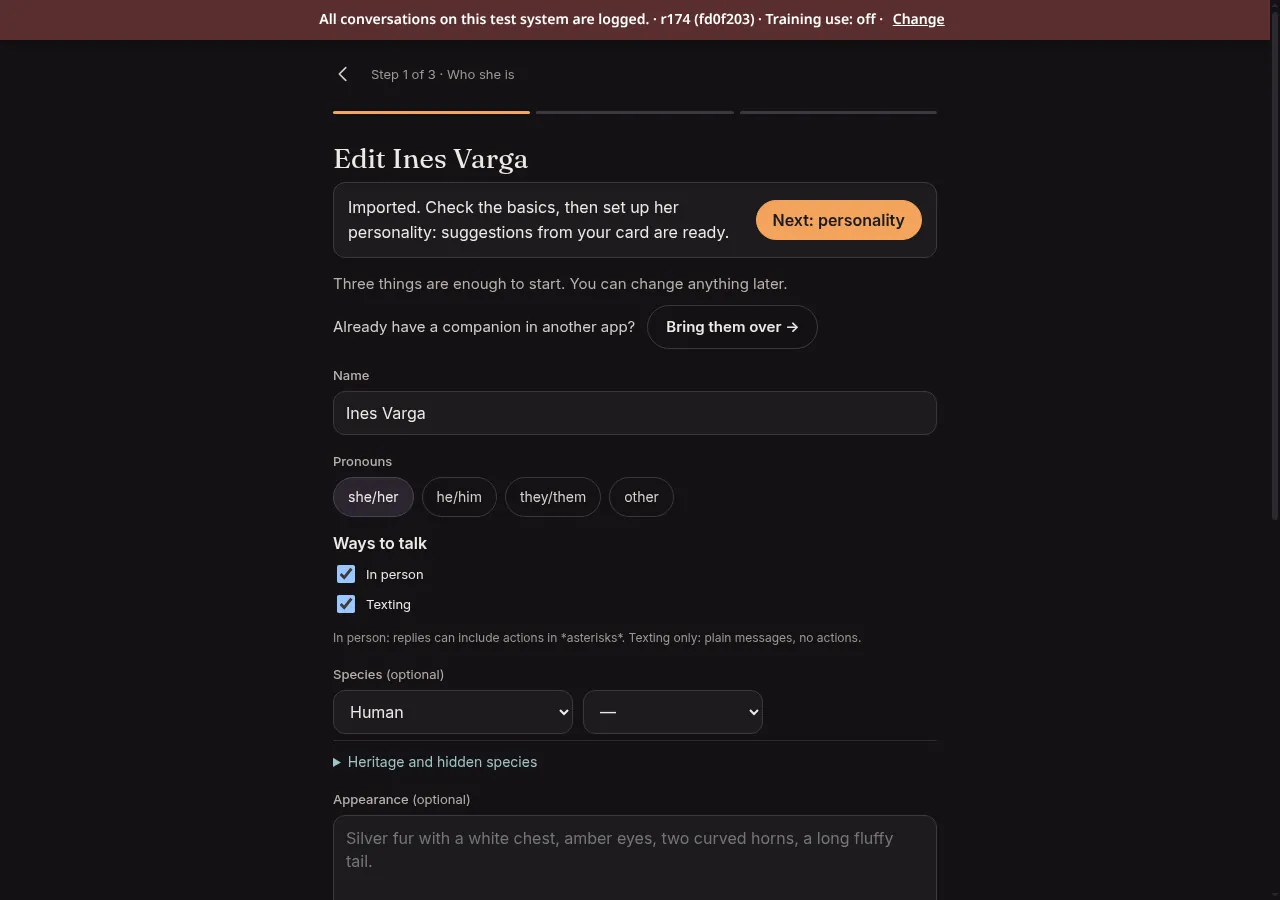
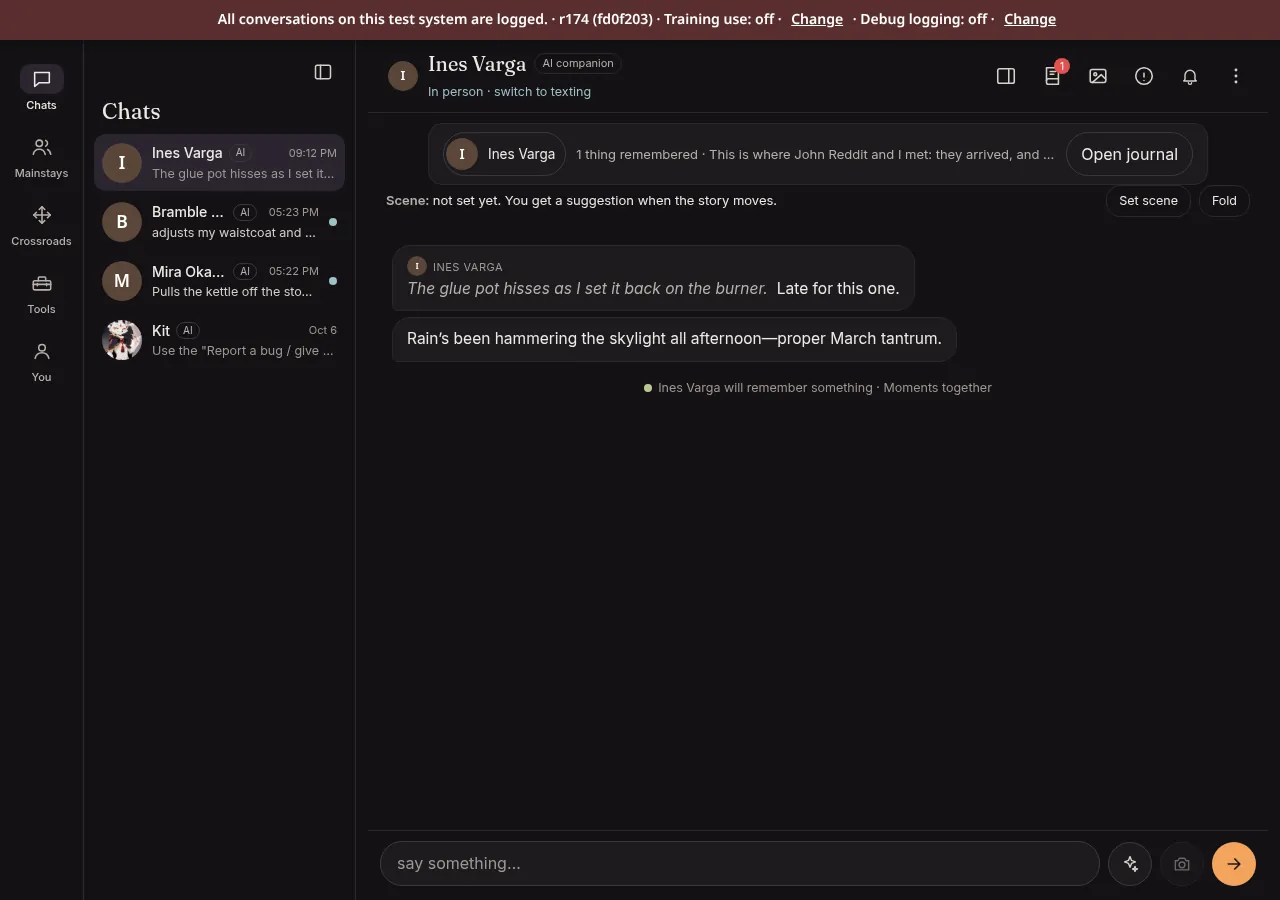
The first message is the character's own, not the card's greeting.


Transcript
- In Tools, open Bring your companion.
- Choose A character card.
- Add the card: here, an invented character, Juniper Hale.
- Read the card. Nothing is saved yet.
- The report: what came over, and what was left out and why.
- Check everything: pronouns and species too.
- Create the character.
- Start talking. The first message is their own.
With a description and your memory notes
Coming from an app without character cards? Paste who they are, in your own words, and add the notes you keep about your
conversations as .txt or .md files (up to 10 files, 500 KB in all). Keepcompany writes a character
sheet from the description and proposes Journal entries from your notes: things about you, what happened between you, plans,
and their own story. Each entry quotes your file, and you keep, change or drop every one before anything is saved.
Tip: if the other app shows a list of what it remembers about you, copy that list into a plain .txt
file and add it here.


What comes over, what changes, what stays behind
- Comes over: their name, who they are, how they write, and the scene you meet in. Lore entries become entries in their Codex, which you can edit or remove before saving.
- Changes: lore is remembered by meaning, not by trigger words. The card's keywords are kept with each entry but don't trigger anything.
- Stays behind: the card's greeting (characters here write their own first message), instructions aimed at the AI model (the safety and style rules are the same for every character here), the creator's notes, tags, and other apps' own settings. The report lists these.
Your pictures stay with you
A picture inside a card stays on your device. We read the card's text and leave the picture where it is. Characters you import are yours alone: they can't be published for other players.
Take them with you again
Any character you made or brought in can be downloaded as OCPF, an open format for characters, with their memories
and lore, or as plain text (.json). Pictures that aren't suitable for you right now are left out.

What works in the beta now
This is what the importer does in the beta now. Some things are not built yet.
| Feature | In the beta now |
|---|---|
Character cards (V2, .json or .png) | Yes |
A description plus .txt or .md memory notes | Yes |
| Journal entries from your memory notes | Yes |
| Lorebook entries into the Codex (from cards) | Yes |
| Pronouns, species, style and opening scene read from a description | Not yet |
| Download as OCPF | Yes |
| Bringing an OCPF file back in | Not yet |
| Card pictures kept on your device only | Yes |
| A box to paste memories without making a file | Not yet |
| ChatGPT and Claude export files | Not yet |
For SillyTavern and V2-card users
- Formats
chara_card_v2as.json, or a.pngwith the card in its text chunk. CHARX is not read yet; export the card as.jsonor.png. Up to 500 KB of card text; the picture's size doesn't count.- Mapped
nameto the name;descriptionandpersonalityto who they are (and the seed the editor suggests personality settings from);scenarioto the opening scene;mes_exampleto how they write;character_bookentries to Codex lore.{{char}}becomes the name;{{user}}stays a placeholder.- Lorebook
- Content is kept, one entry each. Keys are kept but don't trigger; order, position, chance and groups aren't carried. An entry that reads as an instruction to the model is held back, and the report says so.
- Left out, with the reason shown
first_mesandalternate_greetings,system_promptandpost_history_instructions,creator_notes,tags,creator,character_version, andextensions(for exampledepth_prompt), which is reported as not read.- Safety
- Imported text is checked for content about someone under 18, for instructions aimed at the model, and for method detail, before anything is saved. Every character here is an adult.